✦ Your Incubators
From egg to companion
Your placed Incubator
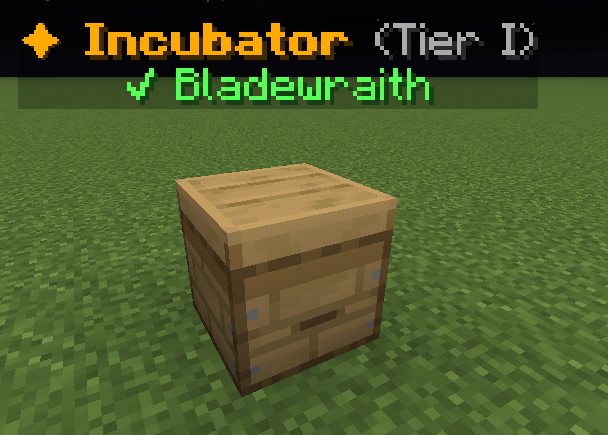
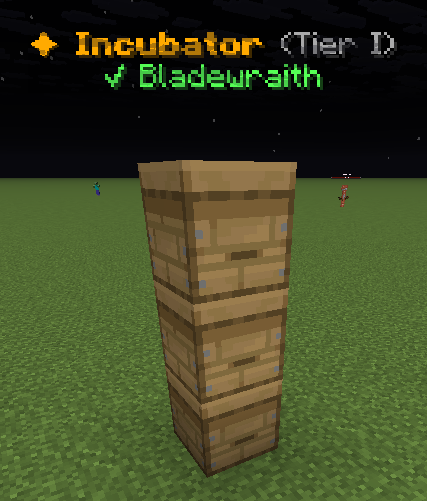
One block, one nursery position
Use the registered Incubator item. An ordinary beehive is not a pet nursery. Stack up to three special Incubator blocks for three positions.
Right-click your placed block to insert eggs, feed babies and collect adults. Your Incubators is a status directory; visit the block to use it.
1. Insert a family egg
Choose an empty upper position, then choose a carried egg. Use a suitable family biome.
- [Lvl level] Pebble Whelp [gender][Pet type]Family: [Family]Family Type: [Family type]Gender: [Gender] | Gen [generation]Breeds: [breeds]/3
[in-game value] XP: +[in-game value]%
??? [UNCOMMON]Unlocks at Uncommon
??? [RARE]Unlocks at Rare
??? [EPIC]Unlocks at Epic
??? [LEGENDARY]Unlocks at Legendary
??? [MYTHIC]Unlocks at Mythic
Progress to Level [next level]: [progress]%[XP progress bar] [XP]/[XP required]
Example state · bracketed values depend on your game.2. Grow the baby
Read the timer below its position. Feed matching family food to the selected baby.
Pebble Whelp shown as an example. 3. Claim, then collect
When the pet is adult, select its position and use Claim. Collect it from Pet Delivery.
How to open
Type /pets incubators.
Read your placed incubators, their biome, capacity and growth progress. Entries do not teleport you or open a physical incubator. Visit its block to insert eggs, feed or collect an adult.
What each button does
✦ Your Incubators
These are captured in-game menus. Your items, progress and timers can change.
In-game menu pictures
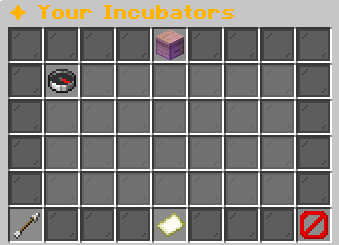
Visit the incubator to insert, feed, or claim.Example state · bracketed values depend on your game.BackReturn to previous menuPage 1 / [pages]Example state · bracketed values depend on your game.CloseClose this menu
View the related in-game pictures and tooltips (1)
Related pictures and tooltips
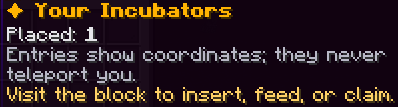
Explore the button explanations
Menu picture
Illustrated control map. Item availability, labels and locked states can change in-game. Symbols identify actions; they are not exact item textures.
Choose a pictured button to read what it does. Use arrow keys to move between buttons. On a phone, scroll the picture sideways.
✦ Your Incubators
Top row: ✦ Your Incubators: Read Your Incubators.
Middle: Your placed incubator: Read this incubator’s nursery status. Visit its block to use it. Menu information: Read Menu information.
Bottom row: Back: Return to the previous menu. Previous Page: Show the previous page. Page: Read the current page. Next Page: Show the next page. Close: Close this menu.
Pictures
Visit the incubator to insert, feed, or claim.Example state · bracketed values depend on your game.BackReturn to previous menuPage 1 / [pages]Example state · bracketed values depend on your game.CloseClose this menu