Incubators: Building, Stacking and Hatching
What it is
Place a special Incubator in a suitable family biome on protected land. Insert a family egg, then grow the baby into a companion.
Each placed incubator block adds a usable slot, up to 3 blocks. The stack itself determines access to those slots. Your Power Level does not unlock a missing physical block. An occupied slot follows the egg, baby, and adult stages. The adult must then be collected into Pet Delivery before it becomes part of your usable collection.
Quick facts
- Family egg stage: 10 minutes.
- Common baby growth: 2 days.
- Uncommon baby growth: 4 days.
- Rare baby growth: 6 days.
- Epic baby growth: 8 days.
- Hatch chances: Common 80%, Uncommon 15%, Rare 4%, Epic 1%.
- Maximum stack: 3 special Incubator blocks.
From egg to companion
Your placed Incubator
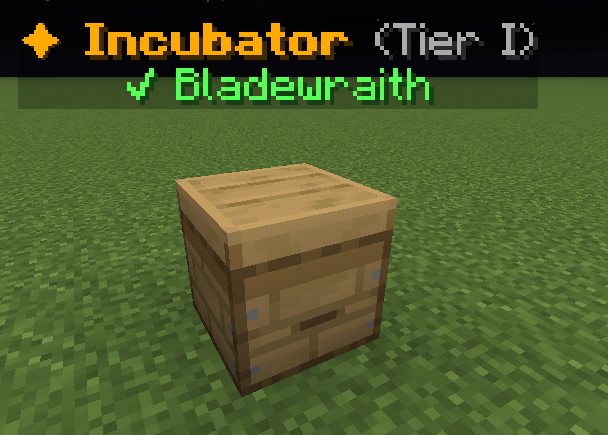
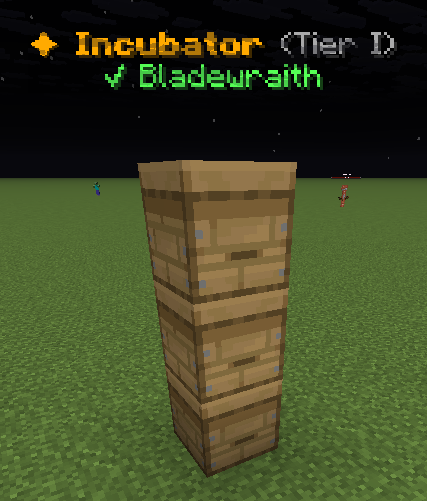
One block, one nursery position
Use the registered Incubator item. An ordinary beehive is not a pet nursery. Stack up to three special Incubator blocks for three positions.
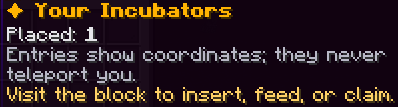
Right-click your placed block to insert eggs, feed babies and collect adults. Your Incubators is a status directory; visit the block to use it.
1. Insert a family egg
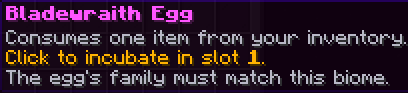
Choose an empty upper position, then choose a carried egg. Use a suitable family biome.
- [Lvl level] Pebble Whelp [gender][Pet type]Family: [Family]Family Type: [Family type]Gender: [Gender] | Gen [generation]Breeds: [breeds]/3
[in-game value] XP: +[in-game value]%
??? [UNCOMMON]Unlocks at Uncommon
??? [RARE]Unlocks at Rare
??? [EPIC]Unlocks at Epic
??? [LEGENDARY]Unlocks at Legendary
??? [MYTHIC]Unlocks at Mythic
Progress to Level [next level]: [progress]%[XP progress bar] [XP]/[XP required]
Example state · bracketed values depend on your game.2. Grow the baby
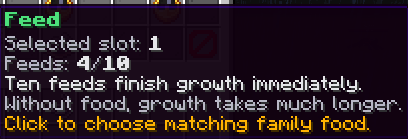
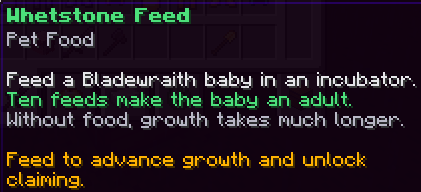
Read the timer below its position. Feed matching family food to the selected baby.
Pebble Whelp shown as an example. 3. Claim, then collect
When the pet is adult, select its position and use Claim. Collect it from Pet Delivery.
The menus you will use
These illustrated menu maps explain the controls. Choose a pictured button to read its description.
Open the Your Incubators menu guide →
✦ Your Incubators
These are captured in-game menus. Your items, progress and timers can change.
In-game menu pictures
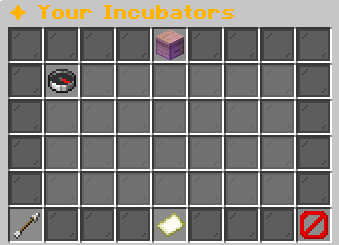
Visit the incubator to insert, feed, or claim.Example state · bracketed values depend on your game.BackReturn to previous menuPage 1 / [pages]Example state · bracketed values depend on your game.CloseClose this menu
View the related in-game pictures and tooltips (1)
Related pictures and tooltips
Explore the button explanations
Menu picture
Illustrated control map. Item availability, labels and locked states can change in-game. Symbols identify actions; they are not exact item textures.
Choose a pictured button to read what it does. Use arrow keys to move between buttons. On a phone, scroll the picture sideways.
✦ Your Incubators
Open the Physical Incubator menu guide →
✦ Physical Incubator
These are captured in-game menus. Your items, progress and timers can change.
In-game menu pictures
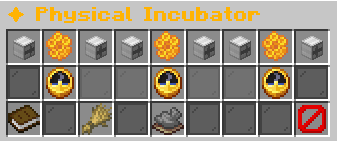
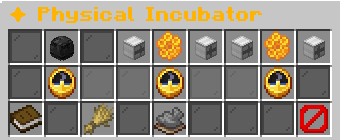
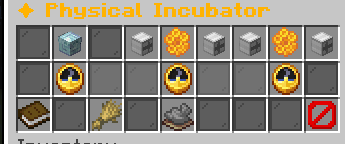
View the related in-game pictures and tooltips (6)
Related pictures and tooltips
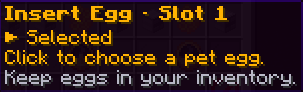
Explore the button explanations
Physical Incubator controls
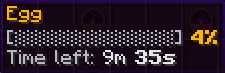
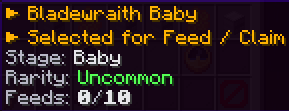
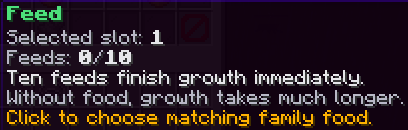
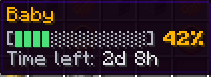
Example with three stacked Incubator blocks and three empty positions. Each position changes from empty to egg, baby and adult.
Choose a pictured button to read what it does. Use arrow keys to move between buttons. On a phone, scroll the picture sideways.
✦ Physical Incubator
Open the Select Pet Food / Select an Egg menu guide →
Select Pet Food / Select an Egg
These are captured in-game menus. Your items, progress and timers can change.
In-game menu pictures
View the related in-game pictures and tooltips (2)
Related pictures and tooltips
Explore the button explanations
Egg or food picker
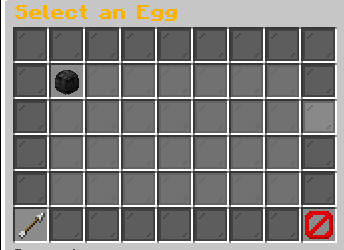
The picker shows eligible items from your inventory. Egg selection and feeding open separate versions of this screen.
Choose a pictured button to read what it does. Use arrow keys to move between buttons. On a phone, scroll the picture sideways.
Select Pet Food / Select an Egg
How to start
Open /pets → Incubators to inspect your placed incubators. That list is a status directory, so visit the actual block to insert eggs or feed babies. Right-click your placed incubator to open Physical Incubator. Click an empty upper egg slot, then select an egg from your inventory. The help card is Insert an Egg, and the food control is Feed.
Before placing, open Pets & Family Guide to match the egg family to the biome. A hybrid accepts either parent habitat. You can stack only on top of your own existing incubator, and every block in the stack must remain in the same protected plot. Ownership of nearby land does not give other players control over your nursery.
Steps
Prepare the location before committing the egg. A rejected habitat does not start a useful incubation timer.
- Obtain the special Incubator item and choose usable protected land in the right family biome.
- Place the incubator. If you need another slot, place another special incubator directly on top of your own stack.
- Right-click the physical block to open Physical Incubator.
- Select an empty upper slot and choose the family egg in the egg picker.
- Wait for the egg to hatch, then inspect the baby rarity, gender, and growth progress.
- Wait for natural growth or use Feed with matching family food.
- Select the adult completion control, then open Pet Delivery and collect the pet.
Reference
Family eggs hatch after the egg stage below. The hatched baby then grows for the duration matching its new rarity.
| Rule | Amount or requirement |
|---|---|
| Stack capacity | 3 blocks |
| Family egg incubation | 10 minutes |
| Common growth | 2 days |
| Uncommon growth | 4 days |
| Rare growth | 6 days |
| Epic growth | 8 days |
| Common hatch chance | 80% chance |
| Uncommon hatch chance | 15% chance |
| Rare hatch chance | 4% chance |
| Epic hatch chance | 1% chance |
When insertion or collection fails
Only the owner can operate an incubator. An unavailable block, missing egg, occupied slot, unsuitable biome, or invalid pet egg prevents insertion. A locked slot needs another incubator block in the stack. Raising Power Level does not substitute for that block. An egg selected earlier must still be in your inventory when insertion completes.
The adult completion control stays unavailable while the slot is empty, contains an egg, or contains a growing baby. Reopen the physical menu if another action changed it. Do not place ordinary food into the egg picker. Egg selection and Feed are different operations.
Worked example
Follow a Terravore Egg toward a companion such as Pebble Whelp.
Start with a family egg and an empty physical block. Its egg stage takes 10 minutes. If the hatch produces a Rare baby, its natural baby stage then takes 6 days. Those are successive timers. You can shorten the second timer with matching feed, but feeding does not skip the initial egg timer.
Adding another physical block above the first gives another slot that runs independently. It does not accelerate the original egg. Use the upper slot selection to choose which baby Feed affects. The selected baby and displayed feed count prevent confusion between simultaneous nursery projects.
Limits and rules
Hatch rarity is restricted to Common, Uncommon, Rare, and Epic. Breeding parents, egg appearance, and lineage do not guarantee the final rarity. The species of the pet is selected within its family separately from the rolled current rarity. Incubation retains family and lineage through the baby and adult stages.
Timers use elapsed real time. Leaving the menu does not pause an egg. When you return, an egg whose hatching and growth deadlines both passed can already be adult. The status list does not remotely insert, feed, or collect nursery contents. Visit the block for those actions.
Your questions
Why is the next slot locked?
It requires another physical incubator block on top of your own stack.
Why does my Power Level not unlock it?
Usable slots are determined by the physical stack size.
Why is my egg rejected in this biome?
The family must match an effective habitat. Hybrids accept either parent habitat.
Can I operate a friend’s incubator?
The incubator operation checks ownership, even when you can use the surrounding land.
Why can I not feed an egg?
Feed is available only during the baby stage.
Where does the adult go?
The completion action saves it to your Pet Delivery.
Does closing the menu stop the timer?
No. Egg and growth deadlines continue with real elapsed time.
Pictures
Visit the incubator to insert, feed, or claim.Example state · bracketed values depend on your game.BackReturn to previous menuPage 1 / [pages]Example state · bracketed values depend on your game.CloseClose this menu
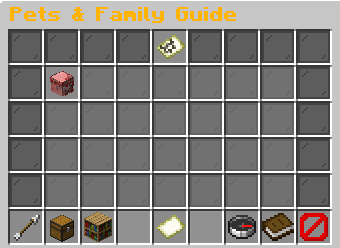
Click to view incubation habitats.Example state · bracketed values depend on your game.BackReturn to previous menu✔ Owned PetsCurrently selected.All FamiliesClick to open.Page 1 / [in-game value]Example state · bracketed values depend on your game.Your IncubatorsView your placed nursery locations.Click to open.How to Incubate1. Find a listed family biome.2. Use an owned or trusted claim.3. Place a signed incubator there.4. Right-click it to insert your egg.
To stack: hold another incubator.Right-click the top face while holding an incubator.Maximum: three blocks in the same claim.One egg slot per stacked block.CloseClose this menu