Permanent Items and Attachments
What it is
Apply a permanent attachment to a companion you want to keep. Each pet has limited attachment space, and you cannot replace an occupied attachment.
Pet Items shows the available catalog, each item's type, price and descriptive text. The catalog can be empty. Do not assume every familiar material is pet equipment: the carried item must be a pet item recognized by the system. Buy for the companion you intend to keep, then inspect that companion before applying anything.
Quick facts
- Permanent capacity: 1 attachment per pet
- Ordinary item-use cooldown: 2 seconds
- Matching family feed: 100%
- Other-skill feed: 50%
- Pet level ceiling: 100
In-game pictures
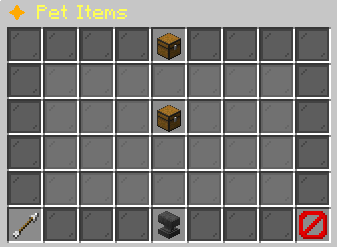
Pictures show a captured example. Your pets, rewards and timers can change.
How to start
Open Pet Hub > Pet Items or /pets items. You can also open Pet Details > Manage Pet Item to see a selected companion and its current attachment. Selecting that pet does not automatically attach a purchase. The shop purchase produces a carried item through Pet Delivery. Application happens afterward with your active floating companion.
Read the displayed price and ensure you have enough coins. A priced item needs an available economy provider. After buying, open Pet Delivery, free an empty inventory slot and collect the purchase. Hold the attachment in your main hand. Activate the correct pet and aim at your own floating companion before right-clicking.
Steps
- Inspect the intended pet in Your Pets > Pet Details and confirm its current item is empty.
- Open Pet Items and read the item's name, type, price and effect description.
- Purchase the item, then collect it through Pet Delivery.
- Activate the companion that should receive the permanent attachment.
- Hold the attachment in your main hand and right-click your active floating pet.
- Read the application result and return to Pet Details to confirm the recorded item.
Reference
| Rule or multiplier | Value |
|---|---|
| Permanent capacity | 1 attachment per pet |
| Ordinary item-use cooldown | 2 seconds |
| XP effect calculation | XP × (one plus item percent / hundred) |
| Matching family feed | 100% |
| Other-skill feed | 50% |
| Pet level ceiling | 100 |
What can go wrong
If the pet already has an attachment, application stops and explains that items cannot be replaced. Deactivating the pet, changing its skin or renaming it does not empty this equipment space. The detach action is also refused. Treat attachment as a permanent choice rather than an experiment you can undo later.
A purchase fails when the price cannot be paid or the economy is unavailable. An application fails if you aim at no eligible companion, another owner's visual or an inactive pet. The use cooldown can also ask you to wait. If application cannot finish after the carried item is used, check Pet Delivery for the returned item and read the failure message before trying again.
Worked example
Use your Pebble Whelp for this example.
Consider a recognized XP attachment on an idle EXP Share recipient. The recipient first receives 25% of the eligible XP before each pet’s bonuses. Its own attachment percentage is then applied to that share. The attachment does not make the recipient active or grant extra abilities.
The same item on your active pet modifies its pet XP after other recipient bonuses. XP_BOOST and SKILL_BOOST item types are both read for a pet-XP percentage. This effect changes pet progression. It does not directly increase the matching skill bonus. Read the item description with that distinction in mind and compare pet XP rather than expecting an unrelated combat stat change.
More to know
The item catalog is ordered by price and identifier. The Pet Items menu shows its available entries rather than a guaranteed universal set of attachment names. An empty catalog means there is no purchase to make there. Item descriptions and prices belong to the particular offered item, so do not copy a price from another attachment.
An XP attachment remains with a withdrawn pet's recorded equipment when the companion becomes a physical pet item. It is not returned as a loose attachment. Recycling permanently removes the chosen companion and does not restore that attachment to you. Read the recycling confirmation carefully before giving up an equipped pet.
A purchase is also not an application. Even when you opened the shop from a selected pet, the physical item must be collected and applied to the active companion. This separation gives you a final opportunity to verify the target pet before making the permanent choice.
Your questions
Can I replace an attachment?
No. An occupied pet item space cannot be replaced or detached.
Where is my purchase?
Open Pet Delivery and collect the item with an empty inventory slot.
Does selecting a pet in the shop apply the purchase?
No. Hold the carried attachment and use it on the intended active floating pet.
Why does right-click ask me to aim at my pet?
No eligible owned active companion was targeted.
Does a SKILL_BOOST attachment increase skill XP directly?
The attachment percentage is applied to pet XP progression in the XP path.
Will recycling refund the attachment?
No. The recycling deletion does not return the permanent item.