✦ Pet Score
How to open
Type /pets score.
Read your Pet Score and select an eligible milestone reward to collect it.
What each button does
✦ Pet Score
These are captured in-game menus. Your items, progress and timers can change.
In-game menu pictures
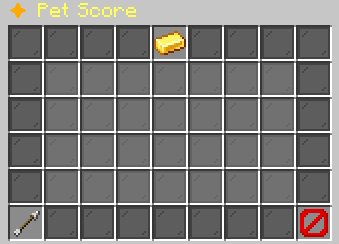
Pet Score: [in-game value]Unique pets and max levels count.Example state · bracketed values depend on your game.BackReturn to the previous menu.CloseClose this menu.
Explore the button explanations
Menu picture
Illustrated control map. Item availability, labels and locked states can change in-game. Symbols identify actions; they are not exact item textures.
Choose a pictured button to read what it does. Use arrow keys to move between buttons. On a phone, scroll the picture sideways.
✦ Pet Score
Pet Score — Read your collection points and milestone rewards. Other states: Pet Score:.
Top row: Pet Score: Read your collection points and milestone rewards.
Middle: Score: Read Score. No Claimable Milestones: Read No Claimable Milestones.
Bottom row: Back: Return to the previous menu. Close: Close this menu.
Pictures
Pet Score: [in-game value]Unique pets and max levels count.Example state · bracketed values depend on your game.BackReturn to the previous menu.CloseClose this menu.